How to Diagnose and Fix a Nissan Intelligent Key Issue
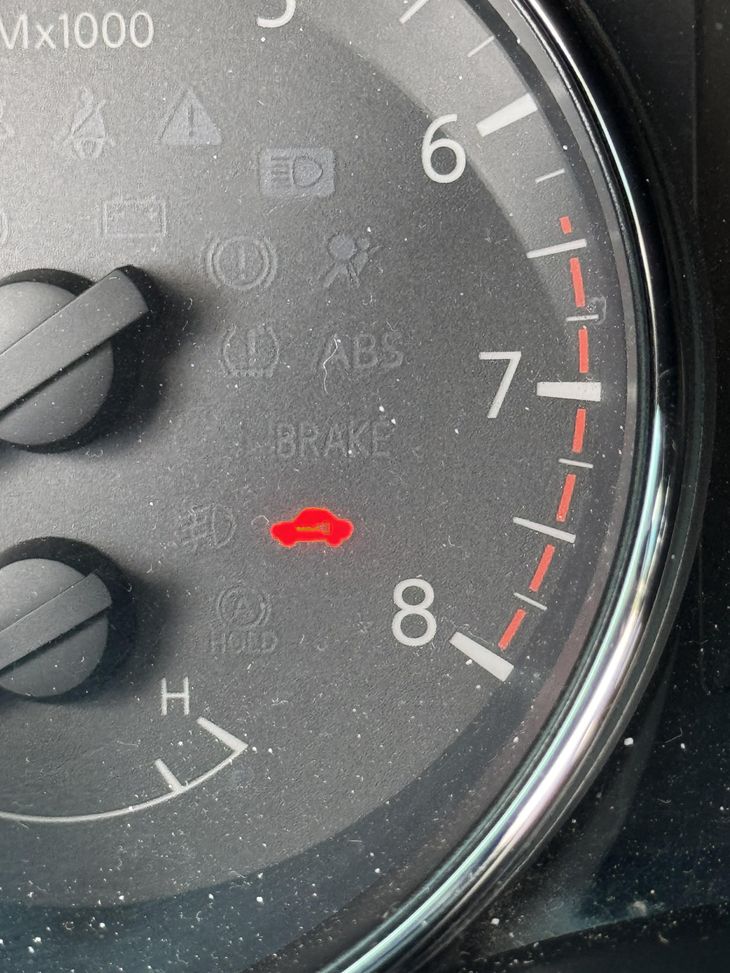
Few things are more frustrating than getting into your car, pressing the start button, and seeing a dashboard warning light you do not recognize. In many Nissan models, that light is a small key symbol, often yellow or amber, and it usually points to a Nissan Intelligent Key issue. Understanding what this light means and how to address it can save you time, confusion, and an unnecessary trip to a Nissan service center.
This guide will walk you through the common causes of a key symbol appearing on your dashboard, how to troubleshoot the problem yourself, and when to seek professional help from a Nissan dealership. The goal is to give you a clear understanding of your vehicle's keyless entry and ignition system so you can get back on the road with confidence.
What Is the Intelligent Key System?
Nissan's Intelligent Key system is a smart key technology that allows you to lock, unlock, and start your vehicle without inserting a physical key into a lock. The system relies on a key fob that contains a transponder and a small battery. When you press the start button with the fob inside the car, the vehicle sends a radio frequency signal to the fob. If the fob responds with the correct code, the ignition system allows the engine to start. This same fob also handles keyless entry, letting you unlock the doors as you approach.
The key symbol on your dashboard is essentially a communication tool between you and the car. It tells you that the vehicle's security system has detected a problem with the intelligent key, the fob battery, or the signal between them. Ignoring this light can lead to being stranded, so it is worth understanding what triggers it.
Common Causes of the Key Symbol Light
When that key symbol appears, it is usually due to one of a few common issues. The most frequent culprit is a weak or dead battery inside the key fob. Over time, the fob battery loses its charge, and the signal to the vehicle becomes too weak for the system to recognize. This is especially common in colder weather, when battery performance naturally drops.
Another possibility is interference with the radio frequency signal. This can happen if you keep your key fob near other electronic devices, such as a smartphone or a laptop, which can emit signals that confuse the transponder. In some cases, the fob itself may have been dropped or damaged, causing internal components to shift or break.
A less common but still possible cause is a problem with the vehicle's sensor or receiver. If the car's antenna that picks up the fob signal fails, the system will not detect the key even if the fob is perfectly fine. This kind of failure often requires a professional diagnosis at a Nissan service center.
How to Troubleshoot a Nissan Intelligent Key Issue
Before you schedule an appointment with a Nissan dealership, there are a few things you can try on your own. The first step is always to check the fob battery. Most Nissan models allow you to open the key fob by prying it apart at a seam. Inside, you will find a small coin-cell battery, usually a CR2032 or similar. Replacing this battery is a simple fob battery replacement that costs very little and can solve a Nissan Intelligent Key issue in minutes.
If a new battery does not fix the problem, try using the backup key that came with your vehicle. Many Nissan fobs have a physical key blade hidden inside that can manually unlock the door. If the car starts with the physical key but not the fob, the issue is definitely with the fob or its signal. You can also try holding the fob closer to the start button or to the steering column, where the receiver is often located. Sometimes proximity is enough to overcome a weak signal.
Another useful step is to check your owner's manual. Nissan includes a section on the Intelligent Key system that explains how to re-sync the fob with the vehicle. This process usually involves a specific sequence of button presses on the fob and the car's controls. Re-syncing can resolve a communication error without any parts or tools.
When to Visit a Nissan Dealership
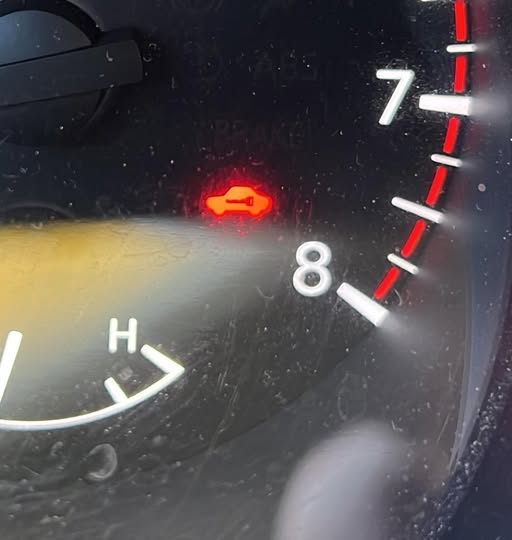
If you have tried a fob battery replacement, re-synced the fob, and the key symbol remains lit, it may be time to visit a Nissan service center. A technician can run a diagnostic on the vehicle's startup sequence and check the receiver and sensor for faults. They can also test whether the fob itself has a damaged transponder or if the vehicle security system has a deeper issue.
One scenario where a dealership visit is almost mandatory is when the problem involves multiple fobs. If both of your key fobs trigger the same dashboard warning light, the fault is likely in the car, not in the fobs. A Nissan dealership has the equipment to reprogram or replace the receiver module if needed. Trying to fix that yourself without proper knowledge can lead to more expensive repairs.
Preventing Future Issues
Prevention is straightforward once you understand the system. Keep a spare fob battery in your glovebox or wallet. Batteries are cheap and last a couple of years, but they can die without warning. Also, be mindful of where you store your fob. Avoid placing it near strong magnetic fields or electronic devices that could interfere with its radio frequency signal. If you have multiple drivers in the household, make sure each fob is in good condition and that everyone knows how to perform a basic fob battery replacement.
Another tip is to rotate your fobs occasionally. If you always use the same one, the other fob's battery may drain slowly over time. By swapping them every few months, you keep both batteries active and reduce the chance of a surprise failure. Also, if you notice the key symbol flickering or appearing intermittently, treat it as a warning rather than ignoring it. A flickering light often means the battery is on its last legs.
Understanding the Key Symbol on Different Nissan Models
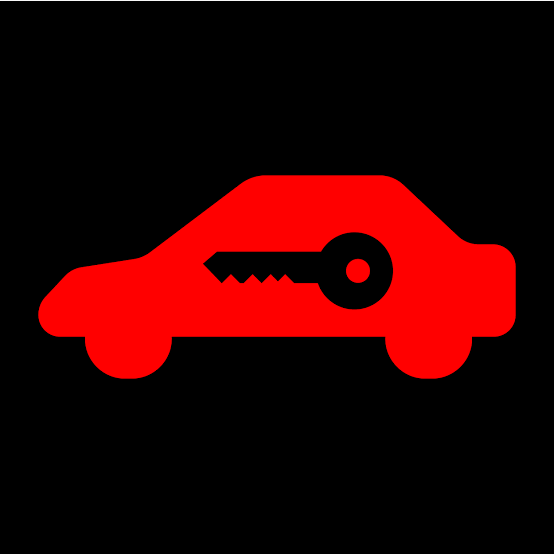
The exact behavior of the key symbol can vary slightly between Nissan models. In some vehicles, the light appears only during the startup sequence and then turns off. In others, it stays on until you address the underlying cause. Some models also show a different color for different severity levels. A yellow key symbol might indicate a low battery, while a red one could signal a more serious security system fault. Your owner's manual is the best resource for interpreting the specific lights on your dashboard.
If you drive an older Nissan model, the Intelligent Key system might be less sophisticated, but the principles are the same. The key fob still contains a transponder and battery, and the vehicle still checks for a valid code before allowing the engine to start. If you ever feel unsure, a quick call to a Nissan dealership can clarify what the light means for your particular car.
Final Thoughts
A Nissan Intelligent Key issue is rarely a sign of a major problem. Most of the time, it is a simple battery issue or a temporary signal glitch. By understanding what the key symbol means and following a few basic troubleshooting steps, you can often resolve it yourself in minutes. And when you cannot, knowing when to involve a Nissan service center keeps the repair process smooth and efficient. The Intelligent Key system is a convenient feature, but like any technology, it needs a little attention now and then. Stay aware of your dashboard warning lights, keep a spare battery handy, and you will avoid most of the common headaches.